8. 서로 밀어내는 파티클 시스템
Attractor와 반대로 인접한 입자를 밀어내는Repeller클래스를 추가해 보면 어떨까요?- 중력과 달리 끌어당기는 힘과 밀어내는 힘은 입자마다 다른 힘을 연산해서 적용해야 하기 때문에 조금 복잡합니다.
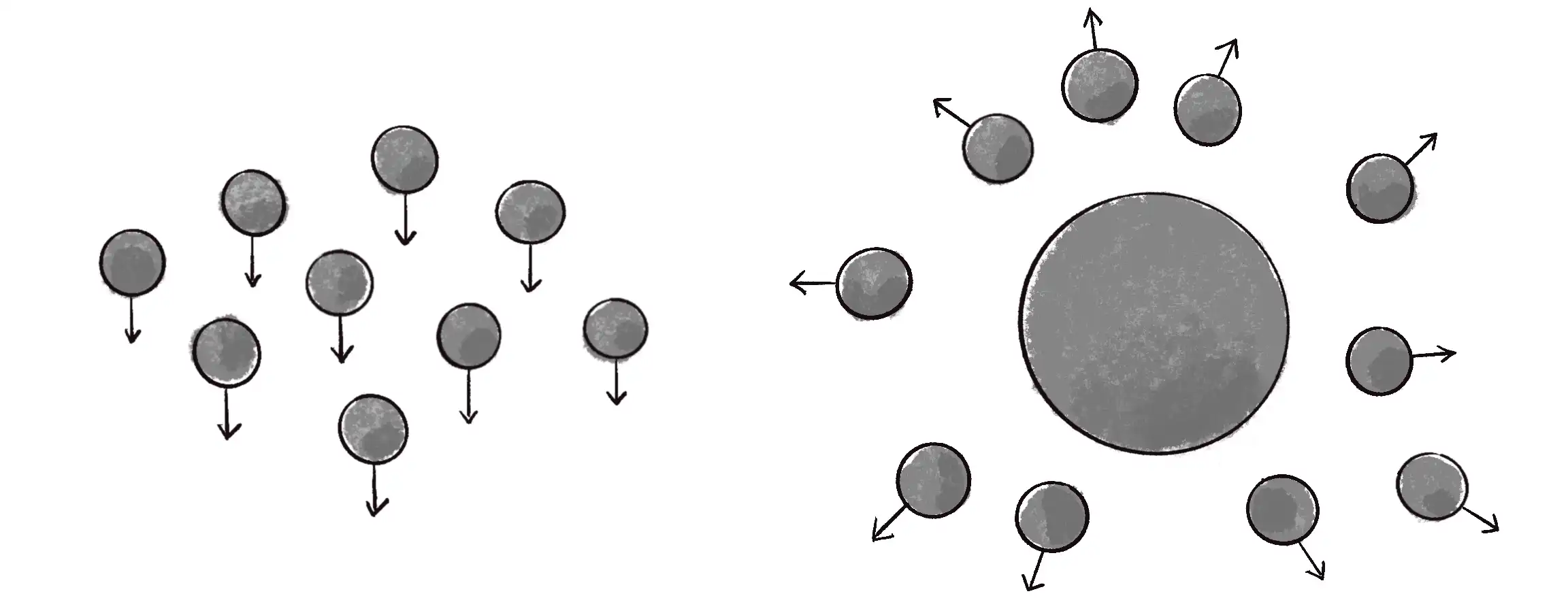
- 기존 코드에 2가지를 더 추가해야 합니다.
Repeller객체 (선언, 초기화, 출력)Repeleer가 객체를Emitter에 전달해서 각 입자 객체에 힘을 가하는 함수
Repeller 클래스
let emitter;
let repeller; // Repeller 객체 선언

function setup() {
  createCanvas(640, 240);
  emitter = new Emitter(width / 2, 50);

  // Repeller 객체 초기화
  repeller = new Repeller(width / 2 - 20, height / 2);
}

function draw() {
  background(255);
  emitter.addParticle();
  let gravity = createVector(0, 0.1);
  emitter.applyForce(gravity);

  // Repeller 적용
  emitter.applyRepeller(repeller);
  emitter.run();

  // Repeller 표시
  repellwer.display();
}

class Repeller {
  constructor(x, y) {
    this.position = createVector(x, y);
    // 질량 대신 power 개념을 사용해 반발력 확장
    this.power = 150;
  }

  display() {
    stroke(0);
    fill(127);
    circle(this.position.x, this.position.y, 32);
  }
}
applyRepeller() 작성
-
applyForce()는p5.Vector객체를 매개변수로 전달했지만,applyRepeller()는Repeller객체를 전달합니다. -
또, 각 입자에 대한 힘을 따로 계산해 적용하고 있습니다. 여기서는
attractor()의 힘을 반대로 적용한repel()을 적용했습니다.applyForce(force){
for (let particle of this.particles){
particle.applyForce(force);
}
}applyRepeller(repeller){
for (let particle of this.particles){
let force = repeller.repel(particle);
particle.applyForce(force);
}
}
repel() 작성
repel(particle){
  // 힘의 방향 구하기
  let force = p5.Vector.sub(this.position.particle.position);
  // 거리 계산 및 제한
  let distance = force.mag();
  distance = constrain(distance, 5, 50);
  // 만유인력 계산
  let strength = -1 * this.power / (distance * distance);
  // 방향과 크기로 벡터 생성
  force.setMag(strength);
  return force;
}
예제 코드 4.7: 서로 밀어내는 파티클 시스템
let emitter; // 입자 방출구 1개
let repeller; // 리펠러 1개

function setup() {
  createCanvas(640, 240);
  emitter = new Emitter(width / 2, 20);
  repeller = new Repeller(width / 2, 200);
}

function draw() {
  background(255, 30);
  emitter.addParticle();

  let gravity = createVector(0, 0.1);
  emitter.applyForce(gravity);

  // 리펠러 적용
  emitter.applyRepeller(repeller);
  emitter.run();
  repeller.display();
}

class Repeller {
  constructor(x, y) {
    this.position = createVector(x, y);
    // 반발력이 얼마나 강한지
    this.power = 150;
  }

  display() {
    stroke(0);
    fill(127);
    circle(this.position.x, this.position.y, 32);
  }

  // 반발력 구하기
  repel(particle) {
    let force = p5.Vector.sub(this.position, particle.position);
    let distance = force.mag();
    distance = constrain(distance, 5, 50);
    let strength = (-1 * this.power) / (distance * distance);
    force.setMag(strength);
    return force;
  }
}

class Emitter {
  constructor(x, y) {
    this.origin = createVector(x, y);
    this.particles = [];
  }

  // 각 객체에 대해 밀어내는 힘 계산 및 적용
  applyRepeller(repeller) {
    for (let particle of this.particles) {
      let force = repeller.repel(particle);
      particle.applyForce(force);
    }
  }

  applyForce(force) {
    for (let particle of this.particles) {
      particle.applyForce(force);
    }
  }

  addParticle() {
    this.particles.push(new Particle(this.origin.x, this.origin.y));
  }

  run() {...}
}

class Particle {...}
- 클래스에 반발력의 강도를 제어하는
power변수가 추가된 것을 확인해 보세요. - 이 속성은 각각 다른
power값을 갖는 여러 개의Attractor와Repeller가 있을 때 특히 흥미로워집니다. - 예를 들어 강한
Attractor와 약한Repeller는 입자가Attractor주위에 뭉치는 결과를, 강한Repeller들은Repeller간에 경로나 채널과 같은 모양의 패턴을 나타낼 수 있습니다. - 이것은 [5장]에서 더 자세히 알아보죠.
연습 문제 4.9
예제 4.7을 확장해 여러 개의 반발체와 인력체를 포함해 보세요. 코드를 중복하지 않고 별도의 **Repeller**와 Attractor 클래스를 만들기 위해 상속과 다형성을 어떻게 사용할 수 있을까요?
연습 문제 4.10
각 입자가 다른 입자에 반응하는 파티클 시스템을 만들어 보세요. ([5장]에서 이를 자세히 설명하겠습니다.)